Coming soon · iPhone and Android: Your monitors, in your pocket
The Uptimecheck app for iPhone and Android is almost here. Know the moment a site, API or cron job goes down, acknowledge from the notification, see what failed and where, and take over on-call from your phone.
Not in the App Store or Google Play yet. Set up your monitors now; the app signs in to the same account.
//_01 What it does
Made for the person who gets the alert.
-
Acknowledge from the lock screen
An outage arrives as a push notification with the monitor’s name and what failed. Acknowledge it straight from the notification, so your team sees someone is on it.
-
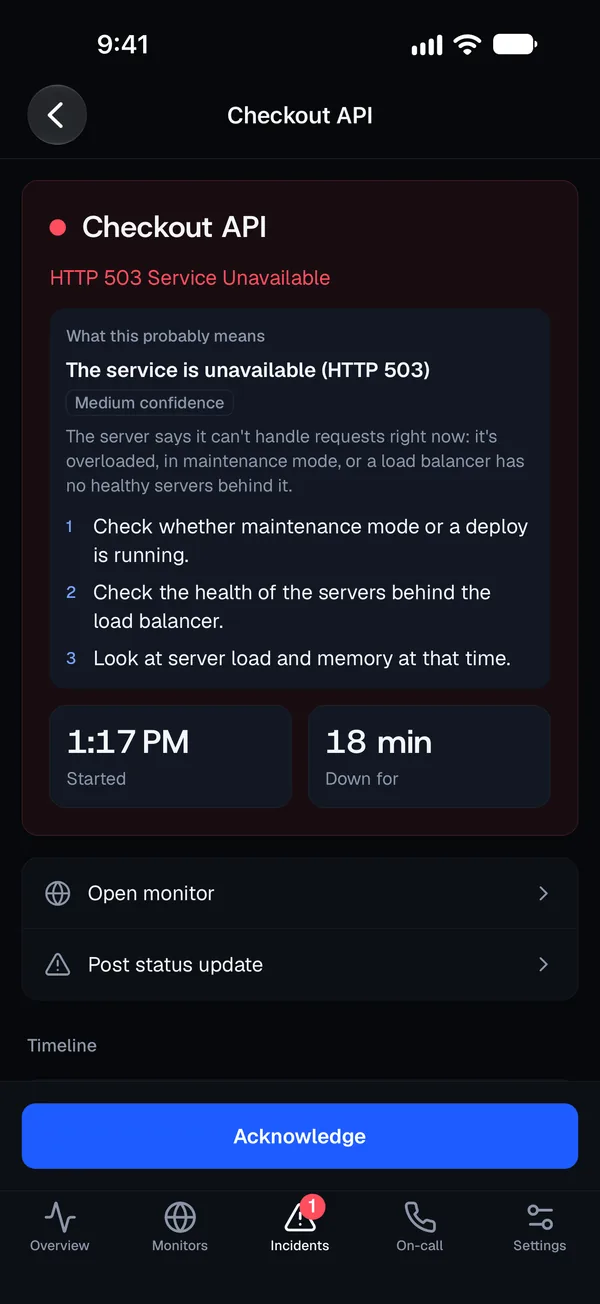
What this probably means
Each incident shows the likely cause and what to check first, next to how long it has lasted and a timeline of what was checked and who was alerted.
-
Act from your phone
Check a monitor again to see whether a fix worked, start a maintenance window that ends by itself, pause or resume a monitor, and post a status update to your status page.
-
On-call in your pocket
See who is on call now and who is next, and take over the current shift with one tap.
//_02 Screens
Everything you need at 3 a.m. Nothing you don’t.
Creating monitors, alert channels and status pages, billing and reports stay on the web. The app is for knowing and acting.
-
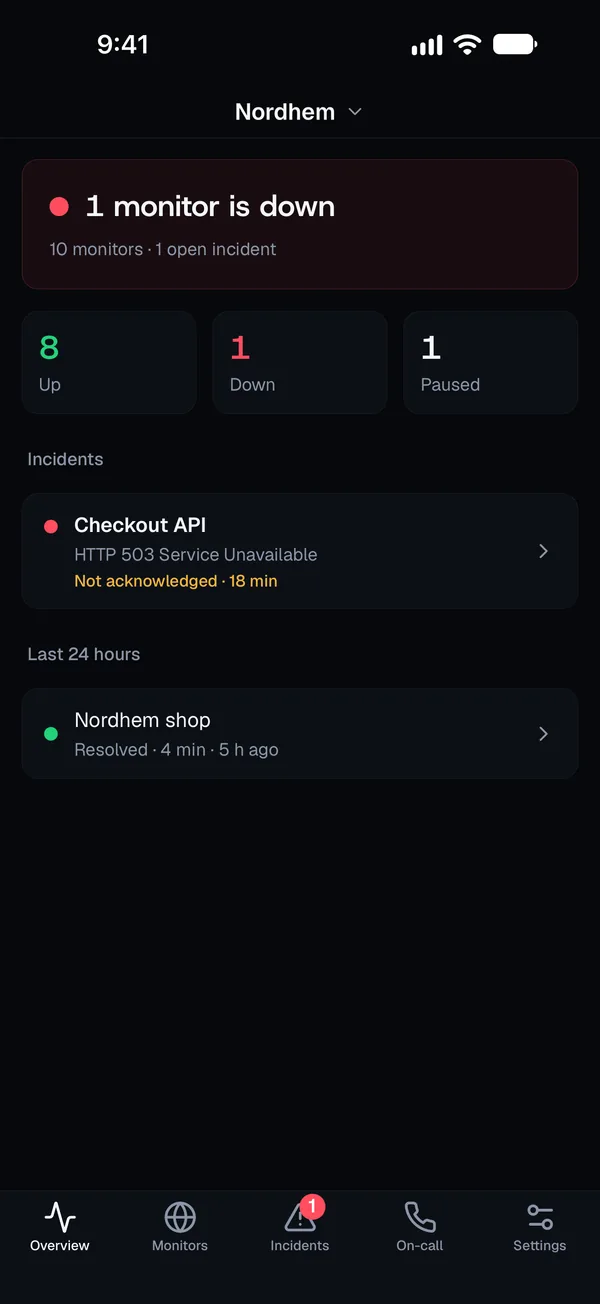
Overview Is everything up, and what is down right now. -
Incident The likely cause, what to check first, and Acknowledge. -
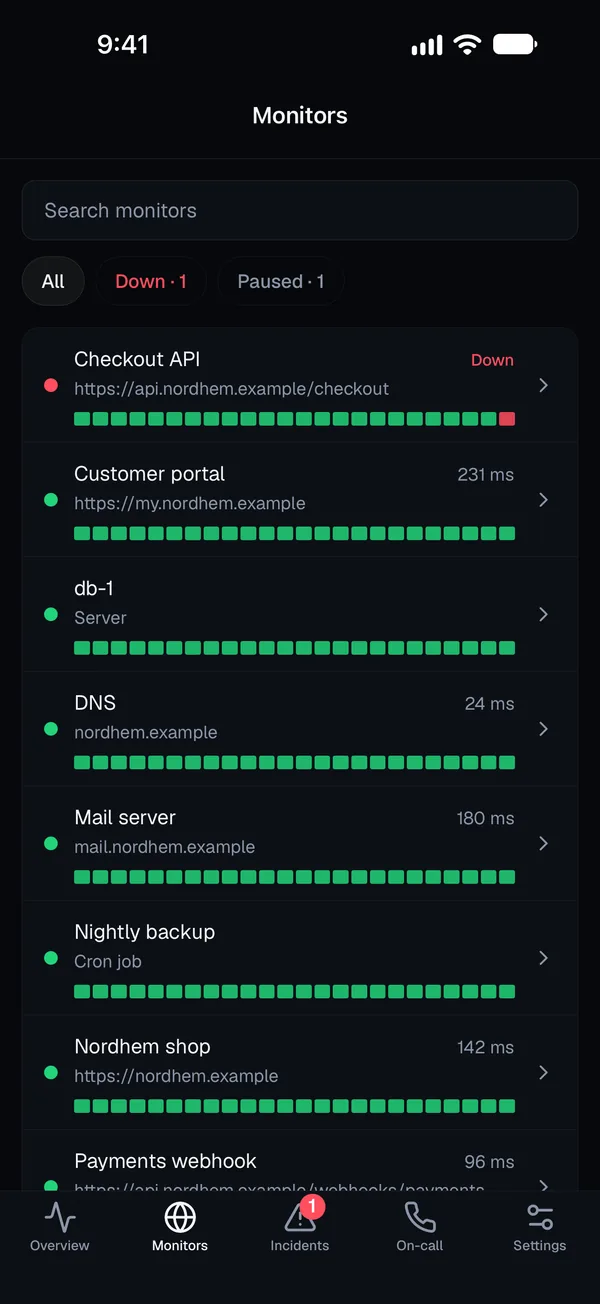
Monitors Every monitor with its status, down first. -
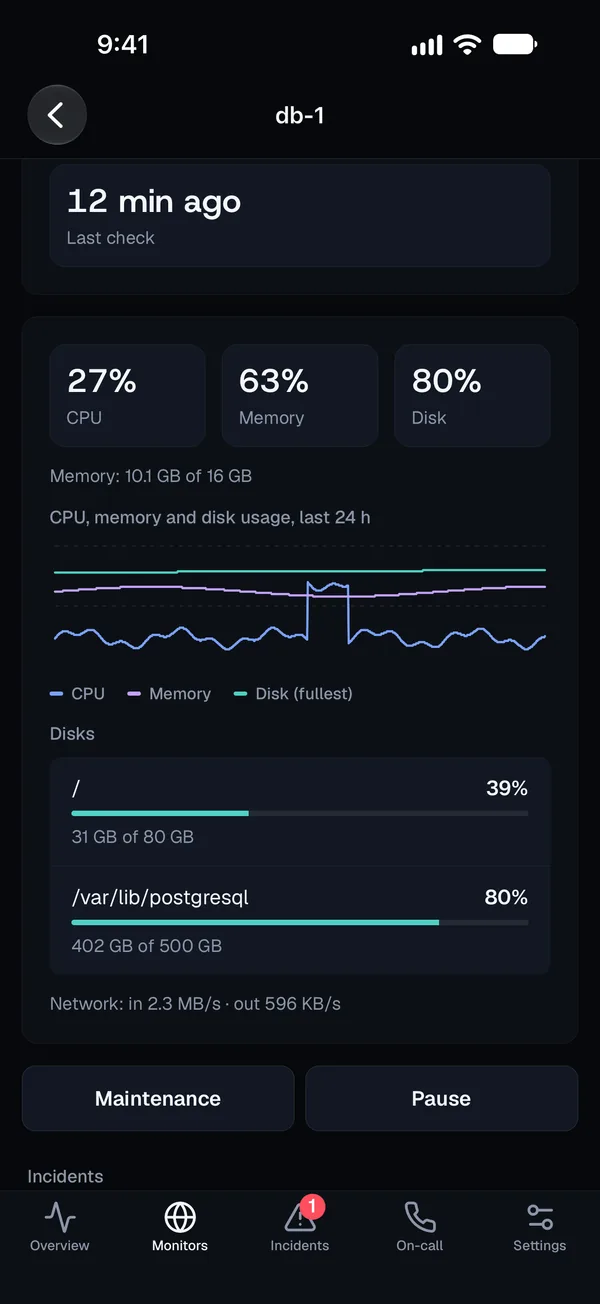
Servers CPU, memory, disks and network from the agent. -
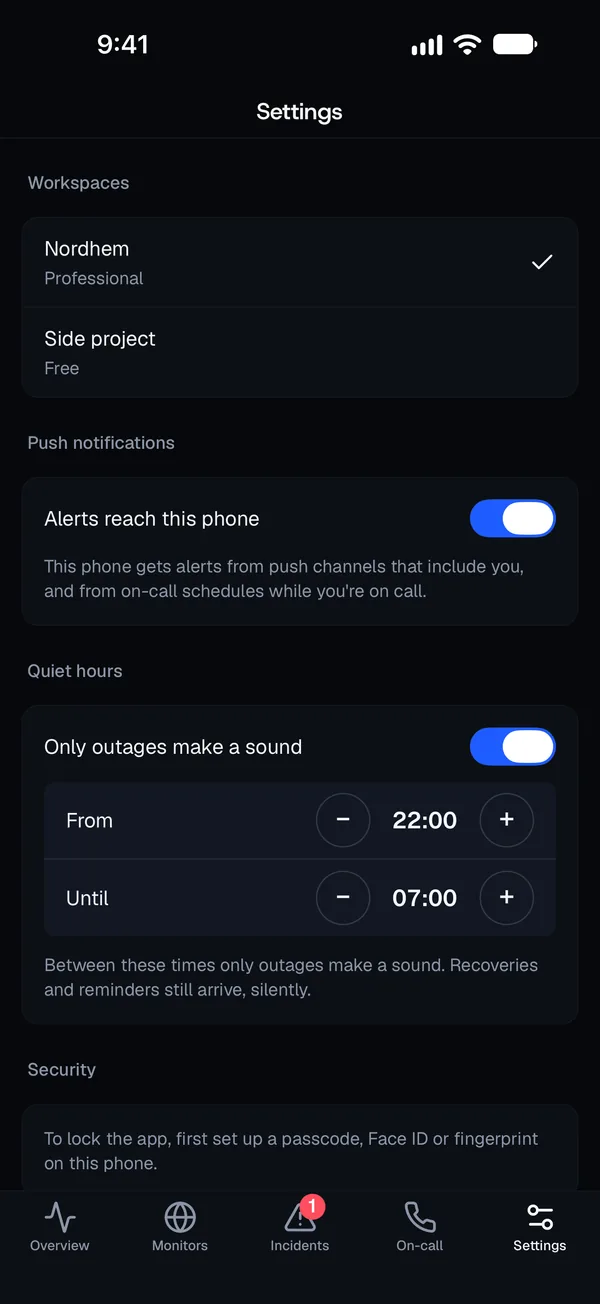
Quiet hours At night only outages make a sound.
And the details that matter at night
Your alert channels and on-call schedules stay as they are: push channels and the person on call reach the app as they reach the browser today.
- Quiet hours: at night only outages make a sound; recoveries and reminders arrive silently
- A home screen widget on iPhone that shows whether everything is up
- Lock the app with Face ID, Touch ID or your passcode
- Switch between your workspaces
- In eleven languages, following your phone’s language
Questions
When can I download the app?
Soon. The app is built and in the final steps before the App Store and Google Play. This page and the changelog will say the day it is out.
Can I get alerts on my phone today?
Yes. Push notifications already work on iPhone, Android and computers through the browser, and SMS alerts on paid plans. When the app is out, push channels reach it too, with no change to your channels.
Do I need an Uptimecheck account?
Yes. You create the account and set up monitors, alert channels and status pages at app.uptimecheck.com, and sign in to the app there with your usual method.
What can’t the app do?
Creating and editing monitors, alert channels and status pages, billing and reports stay on the web, where they are quicker to do.
Which languages is the app in?
English, German, French, Spanish, Italian, Dutch, Polish, Swedish, Danish, Norwegian and Finnish. It follows your phone’s language.
Alerts on your phone today
All integrations-
Push notifications
Free lock-screen alerts on iPhone, Android and computers, to whoever is on call. How it works : Push notifications -
SMS
A text when a monitor goes down and when it recovers. On every paid plan, with credits. How it works : SMS -
Slack
Add to Slack: alerts in the channel you pick, with an Acknowledge button on outages. How it works : Slack
Hear it from us, not your customers.
Click around the live demo without an account, or start your trial and add your first monitor.
14-day free trial · Then free on 20 monitors · No credit card